Meeting transcripts & AI notes
SourceNote
Meeting notes you can trace back.
Record conversations, review transcripts and create AI notes linked to the original source.
iOS & Android · Developed by QuantdeskFree to download · Optional in-app purchases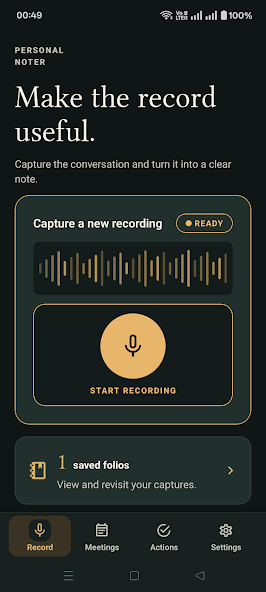
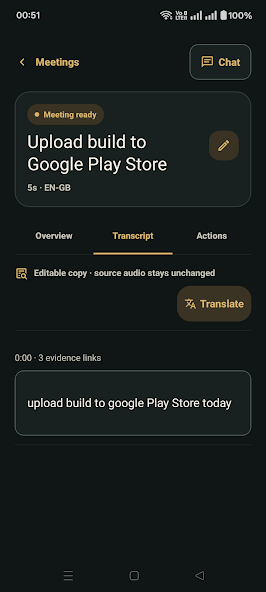
Use the buttons, swipe, or focus the gallery and use the arrow keys to browse. Screenshots are labelled by platform and store.
Inside SourceNote
For professionals, students and interviewers who need meeting notes they can check against the source conversation.
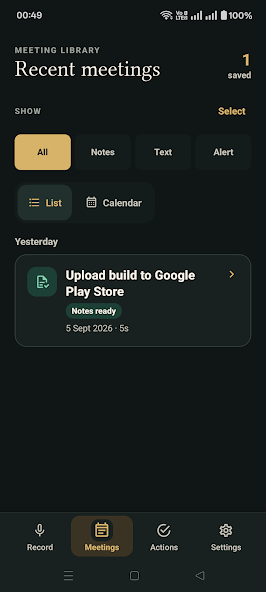
SourceNote connects meeting recordings and editable transcripts with summaries, decisions and action items. Evidence links let you return to the transcript behind a note.
From a conversation to source-linked notes
Capture the conversation
Start a recording with the required permission from the people involved. The Android app uses the platform speech service for transcription.
Check the transcript
Review timestamped segments and correct recognition errors before relying on names, decisions or action items.
Review the meeting notes
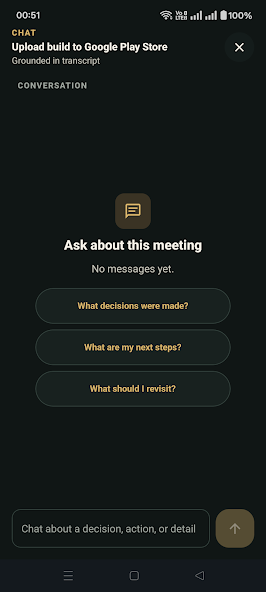
Generate a summary and follow its evidence links back to the transcript. Pro adds meeting-scoped chat and translation with the required access and consent.
Questions & support
Can I edit a transcript?
Yes. You can review and correct transcript text while preserving its connection to the source.
What do the cloud features use?
Translation and meeting chat use transcript text with the required account access and consent. The listing states that source audio is not sent for these features.
Platforms, pricing and practical limits
- Platforms
- SourceNote supports iOS and Android, as confirmed by Quantdesk. The available public listing and screenshots here are Android. Its public iOS download destination is still being confirmed; contact support for iOS enquiries.
- Pricing
- The linked Indian store listings show a free download. Optional subscriptions or purchases unlock additional features; check your store for current plans and regional pricing.
- Limits
- Transcription and AI notes need review. Android speech services may use the network; cloud translation and meeting chat use transcript text and require the relevant account, plan and consent.
Where can I get help?
Email [email protected] with the app name and a description of the issue. You can also visit our support page.