Voice notes & AI summaries
Echo
A thought. A note. A next step.
Record your thoughts, turn speech into text, and keep notes organised with AI.
iOS & Android · Developed by QuantdeskFree to download · Optional in-app purchases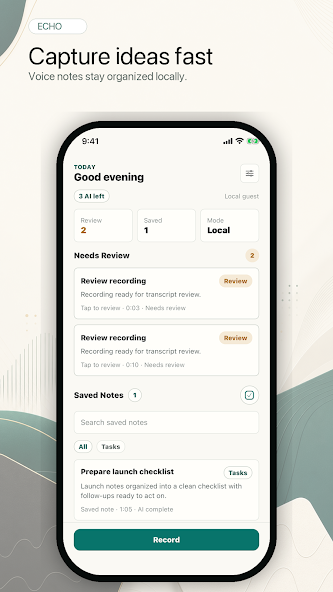
Use the buttons, swipe, or focus the gallery and use the arrow keys to browse. Screenshots are labelled by platform and store.
Inside Echo
For people who prefer speaking an idea, meeting takeaway or journal entry instead of typing it.
Echo brings voice recording, transcription and AI summaries into one place. Capture ideas and conversations, revisit the original words, and share the notes you want to keep. Features and plans vary between the iOS and Android versions.
From a thought to a saved note
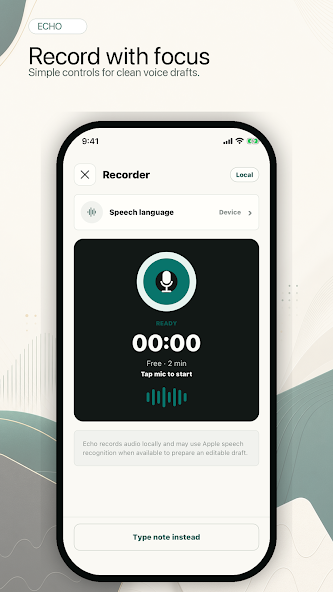
Record one thought
Open the recorder and speak naturally. Keep names, dates and decisions clear so they are easier to review later.
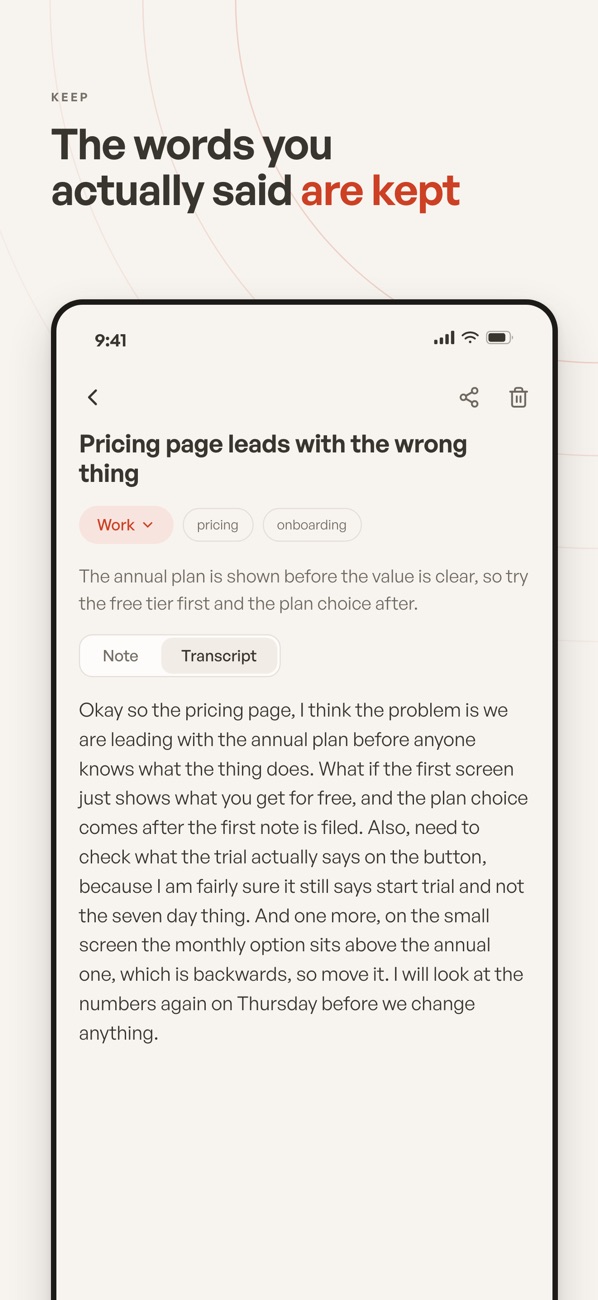
Check the original words
Read the transcript and check important details. The iOS app keeps the original transcript alongside its written-up note.
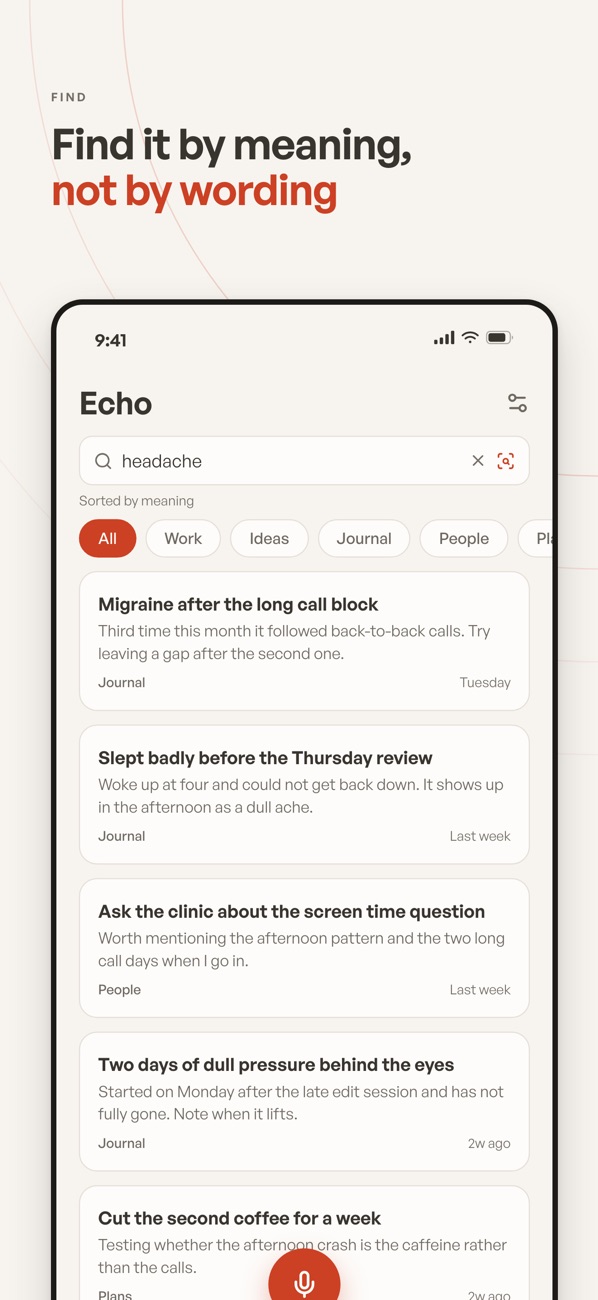
Review and find it again
Use the summary to revisit the main points, then search your library or share the note.
Questions & support
Who is Echo for?
Students recording lectures, professionals capturing meetings, and anyone who prefers speaking to typing.
Do both versions have the same features?
Features and plans vary by platform. Check the relevant store listing for the current version.
Platforms, pricing and practical limits
- Platforms
- The iOS listing describes automatic titles, categories and Apple on-device transcription. The Android listing describes editable transcripts and on-demand summaries and tasks. Plans and AI limits differ.
- Pricing
- The linked Indian store listings show a free download. Optional subscriptions or purchases unlock additional features; check your store for current plans and regional pricing.
- Limits
- Speech recognition and AI summaries can miss names, numbers or context. Check the transcript before relying on a note for an important decision.
Where can I get help?
Email [email protected] with the app name and a description of the issue. You can also visit our support page.